Life Balance · Habits & Goals
Your whole day,
one calm view.
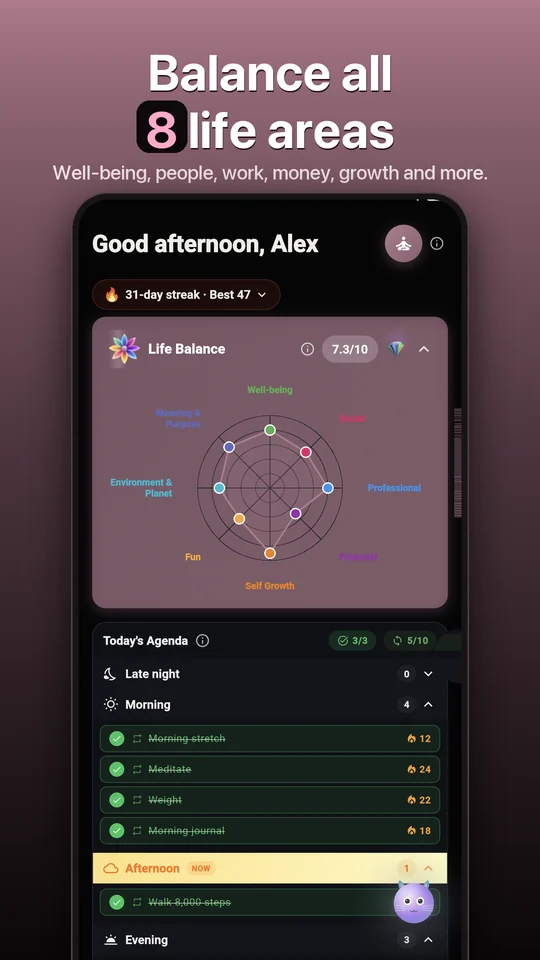
Habits in one app, tasks in another, goals in a notebook? Life Balance puts your habits, tasks, rituals and goals on one daily timeline, and shows how all 8 areas of your life are really doing.

The eight
Balance all 8 areas of life.
Every habit and ritual is matched to its area automatically, and a quick 2-minute check-in shows which areas are thriving and which need care.
Well-being
Physical and mental health
Relationships
The people you care about
Professional
Work and career
Financial
Money and security
Personal Growth
Learning and self-improvement
Fun & Recreation
Play and rest
Environment
Home and surroundings
Meaning & Purpose
Direction, fulfilment and inner peace
Features
A habit tracker and day planner in one calm app.
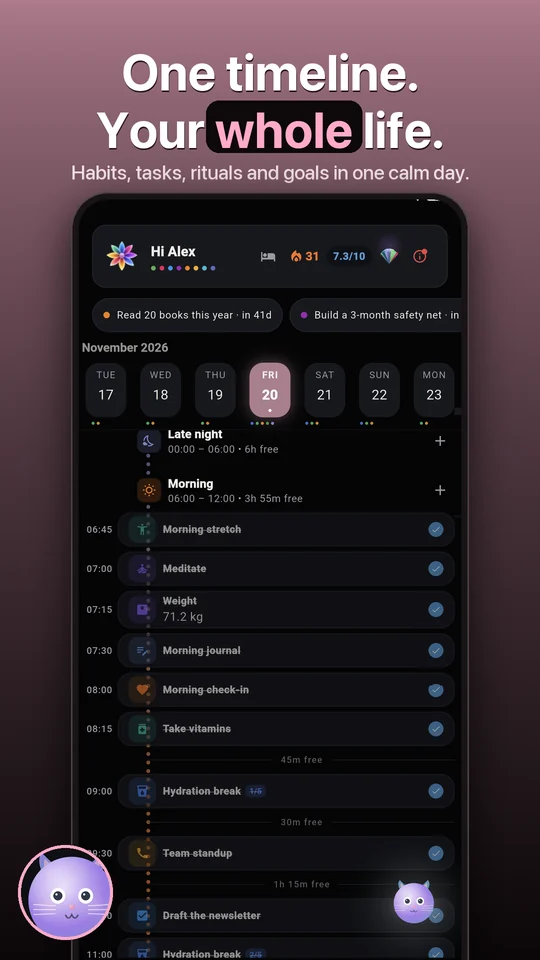
Your whole day, one calm view
Morning to night on a single timeline: tasks, habits, rituals and goals together. New items land in your next free slot automatically, with a reminder 10 minutes before.
Habits that stick
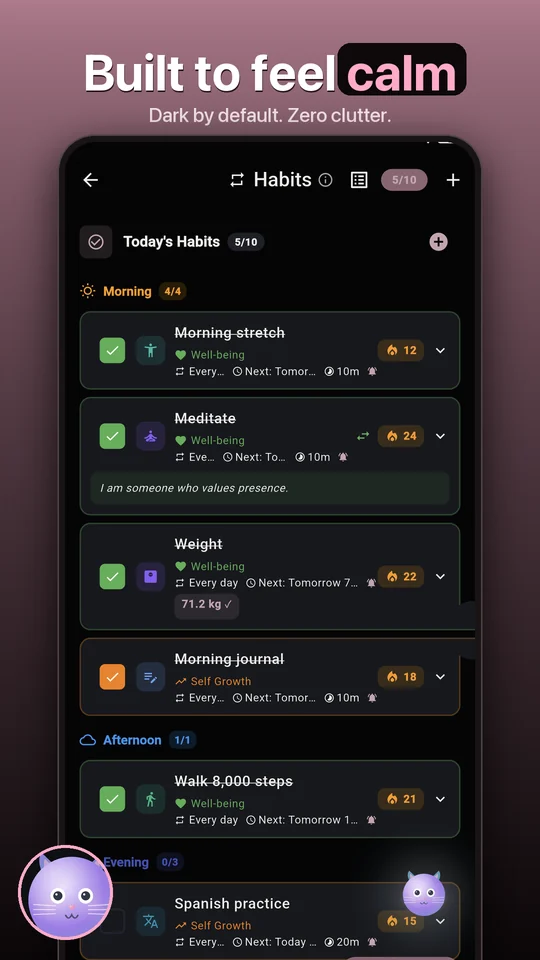
- Daily, weekly or custom schedules, grouped by time of day
- Streaks with a flame counter
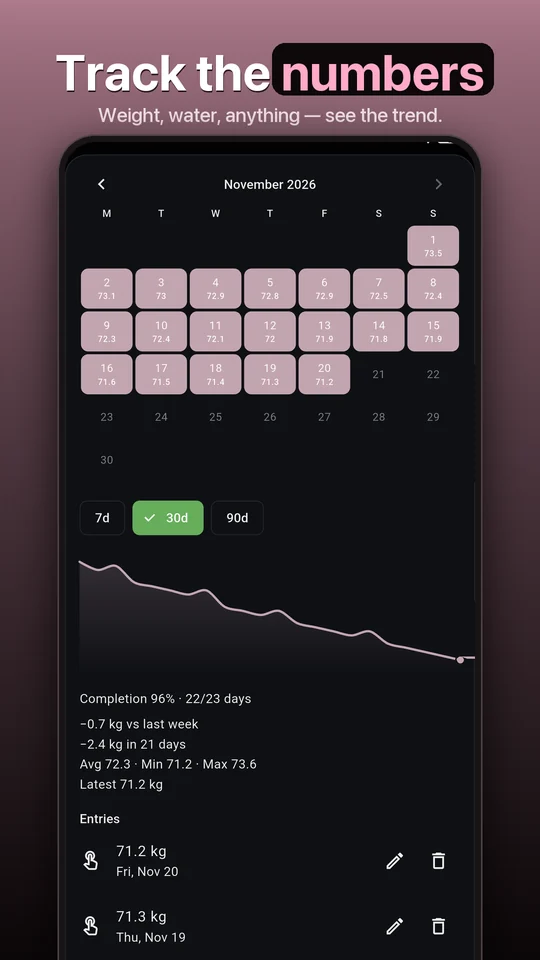
- Track numbers too: weight, glasses of water, pages read, a 1–10 scale or a choice
- See the last value you logged right on the card
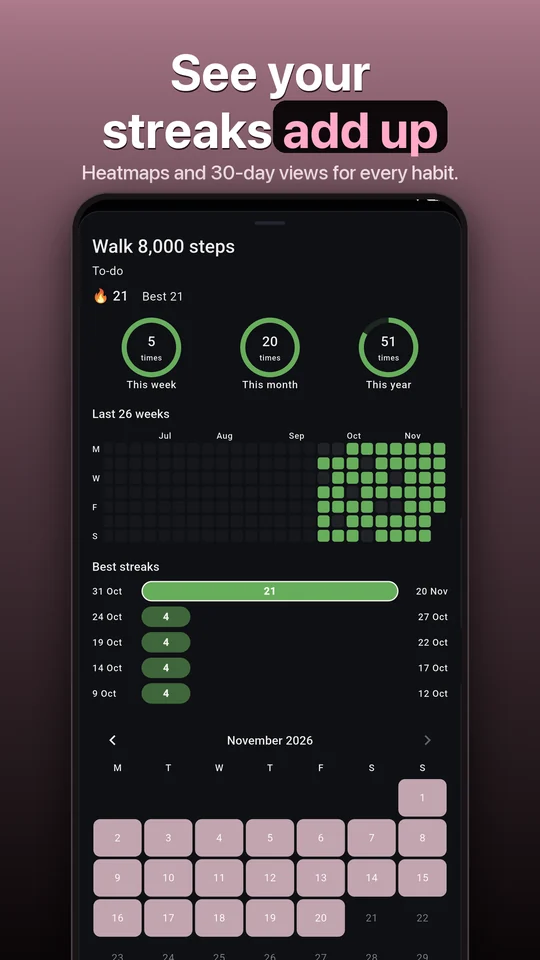
See your streaks come alive
The Overview in Insights shows heatmaps, a week grid and your best streaks for every habit, ritual and repeating task. 21 to 30 days is where a habit sticks. Now you can watch it happen.
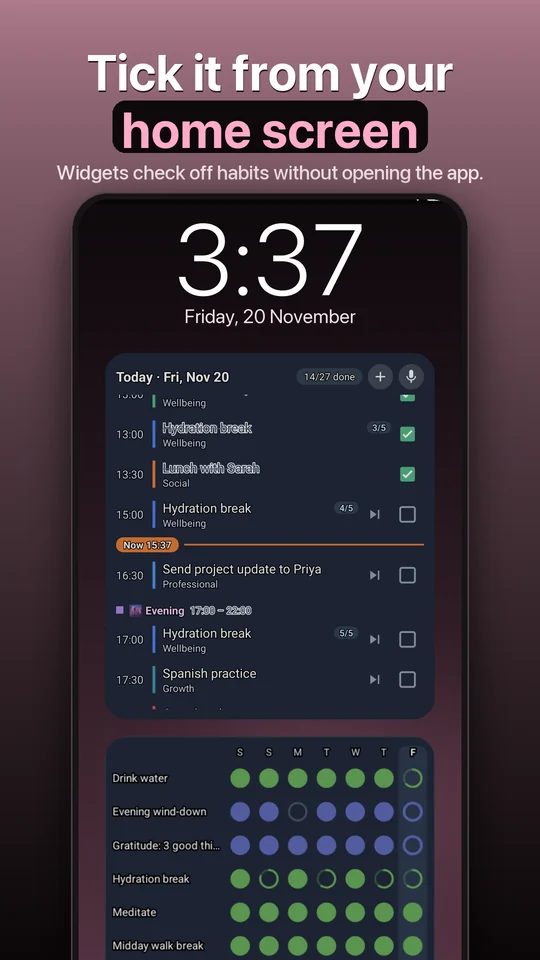
Widgets that work without opening the app
- Today timeline: tick habits and rituals straight from your home screen
- Week grid: your whole week at a glance
- Single item: one habit’s last 30 days
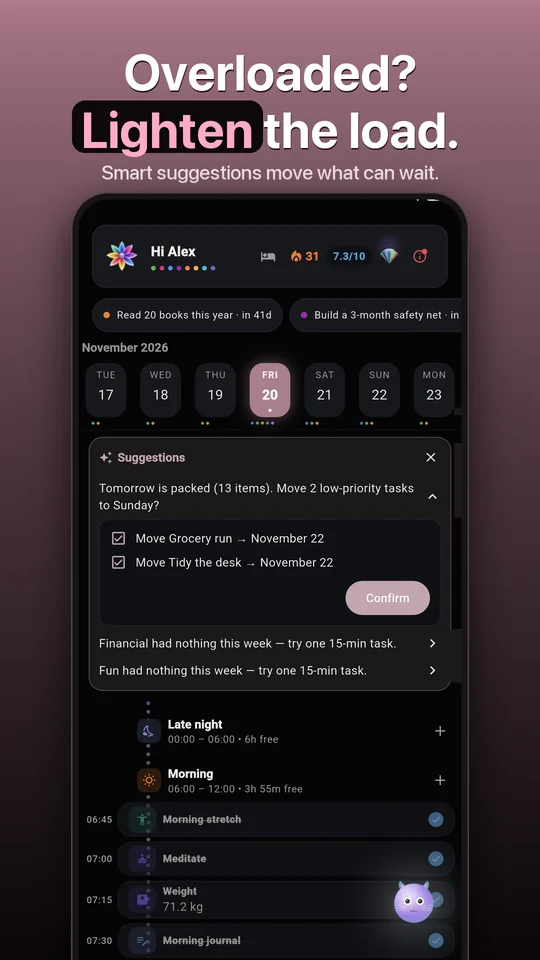
Suggestions that actually help
Smart suggestions explain why they appear and offer a tiny first step. Too much piling up? Life Balance suggests a break, pausing a few habits or rescheduling, without breaking your streaks.
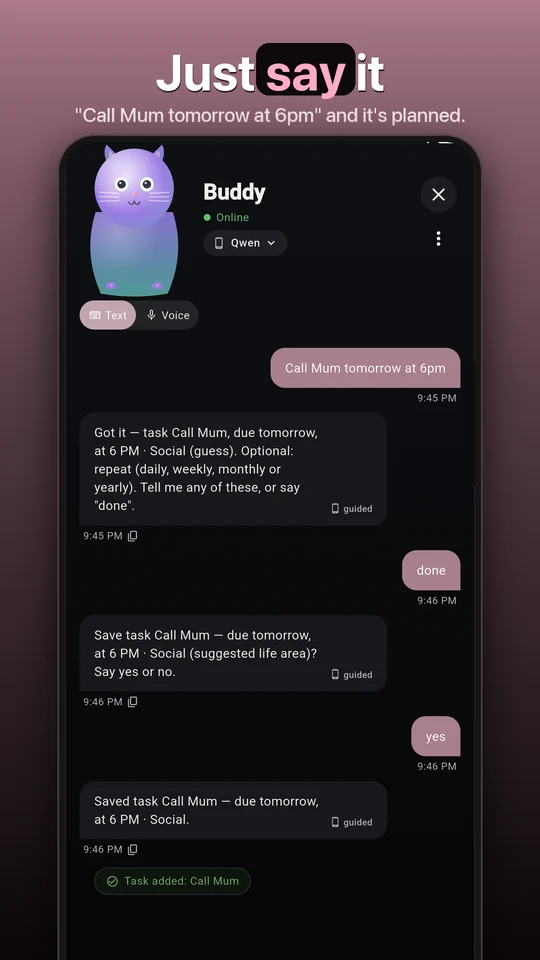
An assistant that does the typing
Say “remind me to call Mom at 6” or “add a reading habit every night” and it’s done, from inside the app or a floating bubble.
Calm by design
- Quiet hours (10 PM–7 AM by default) hold reminders and give you one gentle summary in the morning
- Dark theme, smooth animations and no clutter
- Focus timer, notes, goals with milestones and people you care about, all connected
Inside the app
A look around.